Newsletter Subscribe
Enter your email address below and subscribe to our newsletter

 ByJohn A
As a MERN and Real-Time Systems Engineer at Acquaint Softtech, where we hire MERN stack developers to build exactly this kind of product, I have watched a good delivery ruined at the very last step by a customer left guessing where their parcel is. A customer delivery tracking page fixes that: a branded, live page that shows the order on a map, updates the ETA as it changes, and asks for a rating when it lands.
This UX article walks through how to build a tracking page, the ETA logic, the rating module, and the real cost of a delivery experience platform.
The last step is where loyalty is won or lost. Live, map-based tracking is now an expectation, and the tooling to build it is mature: the Google Maps Fleet Engine journey-sharing library displays a vehicle’s real-time position, ETA, and remaining stops on a map you can brand as your own. Customers who can watch the van approach raise fewer where-is-my-order tickets and rate the experience higher. A customer delivery rating captured at that moment is the most honest feedback a delivery business can get.
This is the last-mile-layer companion to the Complete Guide to Logistics and Supply Chain Software Development in 2026, which covers last mile, fleet, and TMS builds in depth. It draws on real tracking and real-time modules Acquaint Softtech has shipped as an Official Laravel Partner, with 1,300+ projects, 70+ in-house engineers, and clients across the USA, UK, Europe, Australia, and New Zealand who deploy dedicated teams within 48 hours of brief.
A customer delivery tracking page is a branded web page where a buyer checks their order’s status in real time, sees a live map and ETA, and views proof of delivery once it arrives. It replaces a bare carrier lookup with an experience that stays on your brand. In short, it is the storefront for the last mile.
The best pages do four things: show live status and estimated delivery times, carry your logo and colours, list the items in the parcel with photos, and give proof of delivery as a photo, note, or signature. This is what customers expect after using a customer delivery tracking page from Amazon or a Hermes, now Evri, parcel, and matching it keeps them on your store.
Shoppers who only have a number still expect to track a package with an order number or to find a carrier by tracking number in one tap, and a good branded page does both. Scoping which of these features matter first is the job of a discovery workshop.
The last mile is the only part of an order the customer actually watches unfold, so it carries an outsized share of how they judge the whole purchase. A smooth delivery with a live page and an honest ETA is remembered as a good brand; a silent, uncertain wait is remembered as a bad one, no matter how good the product. This is where repeat purchases are won or lost.
The business case is concrete: most where-is-my-order support tickets come from customers with no visibility, and a self-serve tracking page removes the reason to call. A great last mile customer experience also lifts review scores and referral rates, which is why owning the tracking page, rather than renting a carrier’s, pays back quickly. Getting this layer right is core product work, not an afterthought.
See also: Artificial Intelligence in Manufacturing Automation
A modern delivery experience rests on three pillars: a live tracking page with a real-time map, dynamic ETA updates, and a post-delivery rating system. The map answers where is it, the ETA answers when will it arrive, and the rating asks how did we do. Together they turn the most anxious moment of an order into a calm, branded, measurable experience.
| Pillar | What the customer gets | Business payoff |
| Live tracking page | A real-time map with the driver’s position | Fewer where-is-my-order tickets |
| ETA updates | A dynamic arrival time and arriving-soon alerts | Fewer missed deliveries |
| Rating system | A quick way to rate the delivery | Honest, instant operational feedback |
Each pillar improves the last mile customer experience on its own, but together they compound: a customer who watched the van arrive and got an accurate ETA rates higher, and that rating tells you which drivers and routes are working. Building all three as one coherent product is the job of an experienced software product development team.
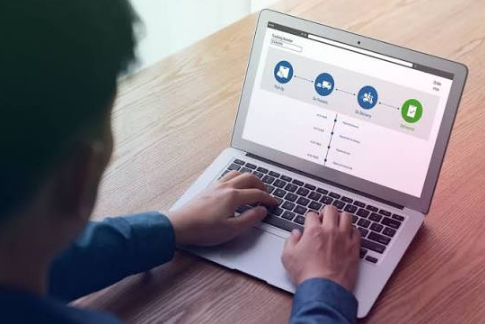
How to build a tracking page starts with one secure, tokenised link per order that opens a page showing status, a map, an ETA, and the item list, with no login required. The page subscribes to live updates so the map and ETA move without a refresh. The whole experience is a lightweight, mobile-first front end backed by a real-time feed.
The front end is usually a React app that opens from an SMS or email link, reads the order by its tracking token, and streams position and status over websockets. Because most customers open it on a phone, it must be fast and thumb-friendly. This front end and its real-time layer are exactly what teams hire React Native developers and hire MEAN stack developers build, on top of an API served by a dedicated development team.
A live delivery map with ETA shows the driver’s current position, the route, and the remaining stops, updating every few seconds as new location pings arrive. The customer sees the van move and the ETA tick down. Behind it, a location provider streams the vehicle’s position and hands the map its ETA and remaining distance.06 How to display accurate ETAs
To display accurate ETAs, calculate them from the driver’s live position, live traffic, and the remaining stop sequence, not from a fixed promise made at checkout. Recompute the ETA on every position update and every route change, and show a short window rather than a false-precise minute. Honesty beats optimism: a slightly wide, reliable ETA earns more trust than a tight one that keeps slipping.
The best practice is dynamic ETAs from a routing engine, automated arriving-soon alerts by SMS or push at key milestones, and a nudge when the driver is a stop or two away so someone is home to receive it. A routing or maps API supplies the live traffic and travel-time maths.
The alerting and notification service behind these live delivery ETA updates is commonly built when teams hire Python developers or hire Laravel developers for the backend.
Branded tracking page design keeps your logo, colours, fonts, and voice on the page instead of a carrier’s, so the most-opened page in the whole order stays yours. Customers open a tracking page several times per order, which makes it prime brand real estate and a natural place to cross-sell. A generic carrier page throws all of that away.
Beyond the logo, good design adds the order item list with photos, clear status milestones, proof of delivery, and a tasteful prompt to shop again or refer a friend.
Done well, a custom branded tracker becomes a marketing channel, not just a status screen. This design and build is where teams hire WooCommerce developers or hire WordPress developers to wire the page to an existing storefront, or an agency ships it under its own brand through white label development.
A post-delivery rating module asks the customer to rate the delivery the moment it arrives, with a one-tap star or thumbs-up and thumbs-down prompt, then a quick optional comment. Captured at the doorstep, this feedback is honest and specific: speed, driver courtesy, and parcel condition. It is the cheapest, richest quality signal a delivery business has.
Do rating systems improve delivery? Yes, when the feedback loops back: low scores flag a driver, route, or depot to fix, and high scores identify what to reward. The module ties each rating to the order, driver, and route so patterns surface fast. Analysing that feedback at scale, and spotting issues automatically, is built with Acquaint Softtech’s AI development services and hire AI/ML engineers.
A delivery experience platform is best built as modular services around the order: a tracking service that issues links and status, a real-time location service for the map and ETA, a notification service for alerts, and a feedback service for ratings. Keeping them separate lets you scale the live map independently of everything else, which matters because the map is the heaviest load.
The location and notification services carry the real-time load and must never miss an update, so they are designed to scale horizontally from day one. Teams without an in-house function run the whole build through software development outsourcing, and a legacy tracking page is modernised to this shape first through a version upgrade.
A branded tracking page with live status and notifications typically costs $20,000 to $45,000, a full experience with a live map, dynamic ETAs, and a rating module runs $50,000 to $110,000, and a complete multi-carrier delivery experience platform costs more. The delivery tracking page cost is driven by the maps and routing you use, notification volume, and integrations, and it is recovered through fewer support tickets and repeat orders.
| Build scope | Cost (USD / GBP / EUR) | Timeline |
| Branded page with status and alerts | $20k to $45k / £16k to £36k / €18k to €42k | 1 to 3 months |
| Live map, ETA, and rating module | $50k to $110k / £40k to £88k / €46k to €102k | 3 to 6 months |
| Full delivery experience platform | $110k+ / £88k+ / €102k+ | 6 to 9 months |
Building a custom branded tracker India-based keeps the work at $25 to $49 per hour, up to 40 percent below Western agency rates, for clients across the USA, UK, Europe, Australia, and New Zealand.
If you only need the front end, you can hire frontend for tracking UX as a focused engagement; if you want the whole thing managed, hire remote developers, and add a virtual CTO when you need only technical leadership. A first version ships fast as an MVP development.
How to hire frontend developers for tracking UX
To hire frontend developers for tracking UX, look for a team that has shipped real-time, map-heavy, mobile-first interfaces, not just static pages, because the value is in a smooth live map and an honest ETA under load. The specialist skills are websockets and streaming state, maps and geospatial UI, and performance on low-end phones. Most companies either outsource the whole build or augment a small core team with these specialists.
| Model | Best for | What you get |
| Outsourcing | No in-house engineering | A full managed delivery experience build |
| Staff augmentation | A lean tech team | Real-time and maps UI specialists |
| Hybrid | Scaling operations | In-house control plus a vendor bench |
Teams that need to add real-time UI skill fast use IT staff augmentation, and teams with a technical lead can hire project managers and engineers on demand, then keep the page fast and accurate after launch with ongoing support and maintenance.
Whichever model you choose, keep control of the ETA logic and the customer data rather than handing everything over. Team stability matters more than a low hourly rate, because the engineers who tune your real-time feed and ETA are the ones who should refine them as your volumes grow. That continuity is why Acquaint Softtech keeps the same core team on a platform from first release through scale.
How to create a live tracking page?
Create a live tracking page by issuing one secure, tokenised link per order that opens a mobile-first page showing status, a live map, an ETA, and the item list, with no login. The page subscribes to real-time updates over websockets so the map and ETA move on their own, and it is styled in your brand rather than a carrier’s.
How to display accurate ETAs?
A: Display accurate ETAs by computing them from the driver’s live position, live traffic, and the remaining stop sequence, and recomputing on every position update and route change. Show a short arrival window rather than a false-precise minute, and send an arriving-soon alert when the driver is a stop or two away. A reliable window builds more trust than a tight ETA that slips.
Do rating systems improve delivery?
A: Yes, rating systems improve delivery when the feedback loops back into operations. A one-tap star or thumbs prompt captured at the doorstep gives honest feedback on speed, driver courtesy, and parcel condition, tied to the order, driver, and route. Low scores flag what to fix and high scores show what to reward, so quality rises over time.
How to brand a tracking page?
A: Brand a tracking page by applying your logo, colours, fonts, and voice, then adding the order item list with photos, clear status milestones, proof of delivery, and a tasteful prompt to shop again. Because customers open the tracking page several times per order, keeping it on your brand turns the most-viewed page of the order into a marketing channel.
How do I check delivery status?
A: Check delivery status by opening the tracking link sent to you by SMS or email, or by entering your tracking or order number on the retailer’s or carrier’s tracking page. A live tracking page shows real-time status, a map of the driver’s position, and an estimated arrival time, and updates on its own without needing a refresh.
How can I find out who is delivering my parcel?
A: Find out who is delivering your parcel from the retailer’s order confirmation or tracking page, which names the carrier, or by using a find-carrier-by-tracking-number lookup that identifies the carrier from the number format. For a cross-border order, the same tools let you track an international parcel across handovers, whether it starts with a Royal Mail tracking number, a Royal Mail international tracking reference, or another carrier, and a branded tracking page shows the carrier and, on the delivery leg, the driver’s live position on the map.
Where is my delivery tracking?
A: Your delivery tracking is in the order confirmation email or SMS from the retailer, usually as a track-your-order link, and in the orders section of your account on their site or app. Opening that link shows the live tracking page with current status, the map, and the ETA, so you do not need a separate carrier site.
How do I check my order status online?
A: Check your order status online by logging into your account on the retailer’s website or app and opening the order, or by clicking the tracking link in your confirmation email. The linked tracking page shows whether the order is being prepared, dispatched, in transit, or delivered, along with a live map and ETA on the delivery leg.